
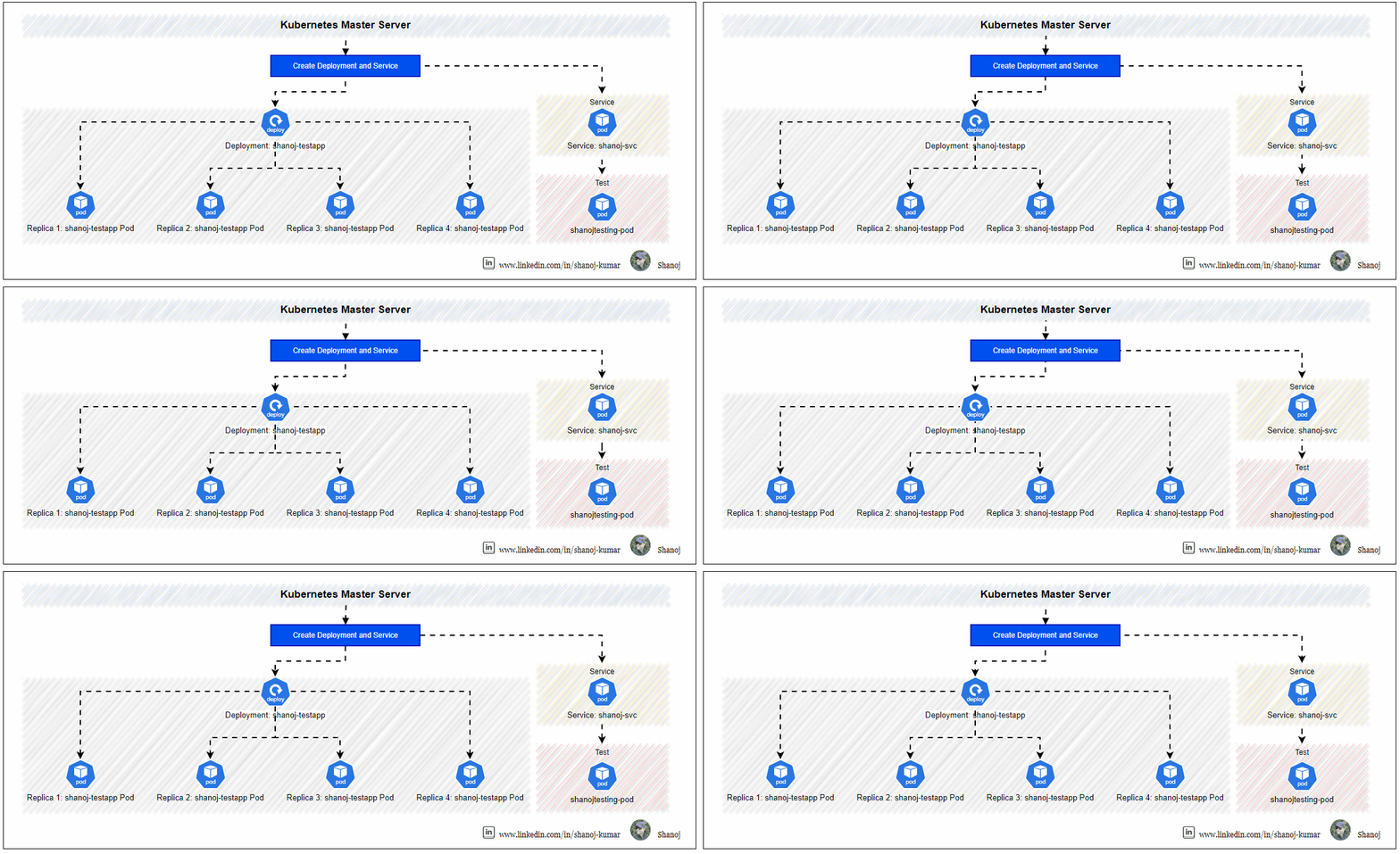
This hands-on article will help you create a simple deployment and a service, enabling you to manage and access applications efficiently within a Kubernetes cluster. You will create a deployment for the shanoj-testapp service with four replicas and a service that other pods in the cluster can access.
Creating the Deployment
A deployment ensures that a specified number of pod replicas are running at any given time. In this case, we will create a deployment for the shanoj-testapp service with four replicas.
Create the Deployment YAML File
Create a YAML file for the deployment using the cat command and the following content:
cat << EOF | kubectl apply -f -
apiVersion: apps/v1
kind: Deployment
metadata:
  name: shanoj-testapp
  labels:
    app: shanoj-testapp
spec:
  replicas: 4
  selector:
    matchLabels:
      app: shanoj-testapp
  template:
    metadata:
      labels:
        app: shanoj-testapp
    spec:
      containers:
      - name: shanoj-testapp
        image: nginx:latest
        ports:
        - containerPort: 80
EOF
Image Reference: https://hub.docker.com/_/nginx
Creating the Service
A service in Kubernetes defines a logical set of pods and a policy by which to access them. In this step, we will create a service to provide access to the shanoj-testapp pods.
Create the Service YAML File
Create a YAML file for the service using the cat command and the following content:
cat << EOF | kubectl apply -f -
kind: Service
apiVersion: v1
metadata:
  name: shanoj-svc
spec:
  selector:
    app: shanoj-testapp
  ports:
  - protocol: TCP
    port: 80
    targetPort: 80
EOF
This YAML file defines a service named shanoj-svc that selects pods with the label app=shanoj-testapp and forwards traffic to port 80 on the pods.
Verifying the Service
After creating the service, verify that it is running and accessible within the cluster.
Check the Service Status
Use the following command to check the status of the shanoj-svc service:
kubectl get svc shanoj-svc

Access the Service from a shanojtesting-pod Pod
Creating the shanojtesting-pod Pod
You need to create a shanojtesting-pod pod to use it for testing. Create a YAML configuration file for the shanojtesting-pod pod. Create a file named shanojtesting-pod.yaml with the following content:
cat << EOF > shanojtesting-pod.yaml
apiVersion: v1
kind: Pod
metadata:
  name: shanojtesting-pod
  labels:
    app: shanojtesting-pod
spec:
  containers:
  - name: shanojtesting-pod
    image: alpine
    command: ['sh', '-c', 'sleep 3600']
EOF
Image Reference: https://hub.docker.com/_/alpine
Apply the configuration to create the shanojtesting-pod pod:
kubectl apply -f shanojtesting-pod.yaml
Ensure the shanojtesting-pod pod is running:
kubectl get pods

Testing the Service
To ensure the service is accessible, use the kubectl exec command to query the shanoj-svc service from the shanojtesting-pod testing pod:
kubectl exec shanojtesting-pod -- curl -s shanoj-svc
If the service is functioning correctly, this command should return a response from the shanoj-testapp pods.

Stackademic 🎓
Thank you for reading until the end. Before you go:
- Please consider clapping and following the writer! 👏
- Follow us X | LinkedIn | YouTube | Discord
- Visit our other platforms: In Plain English | CoFeed | Differ
- More content at Stackademic.com
 Shanoj