

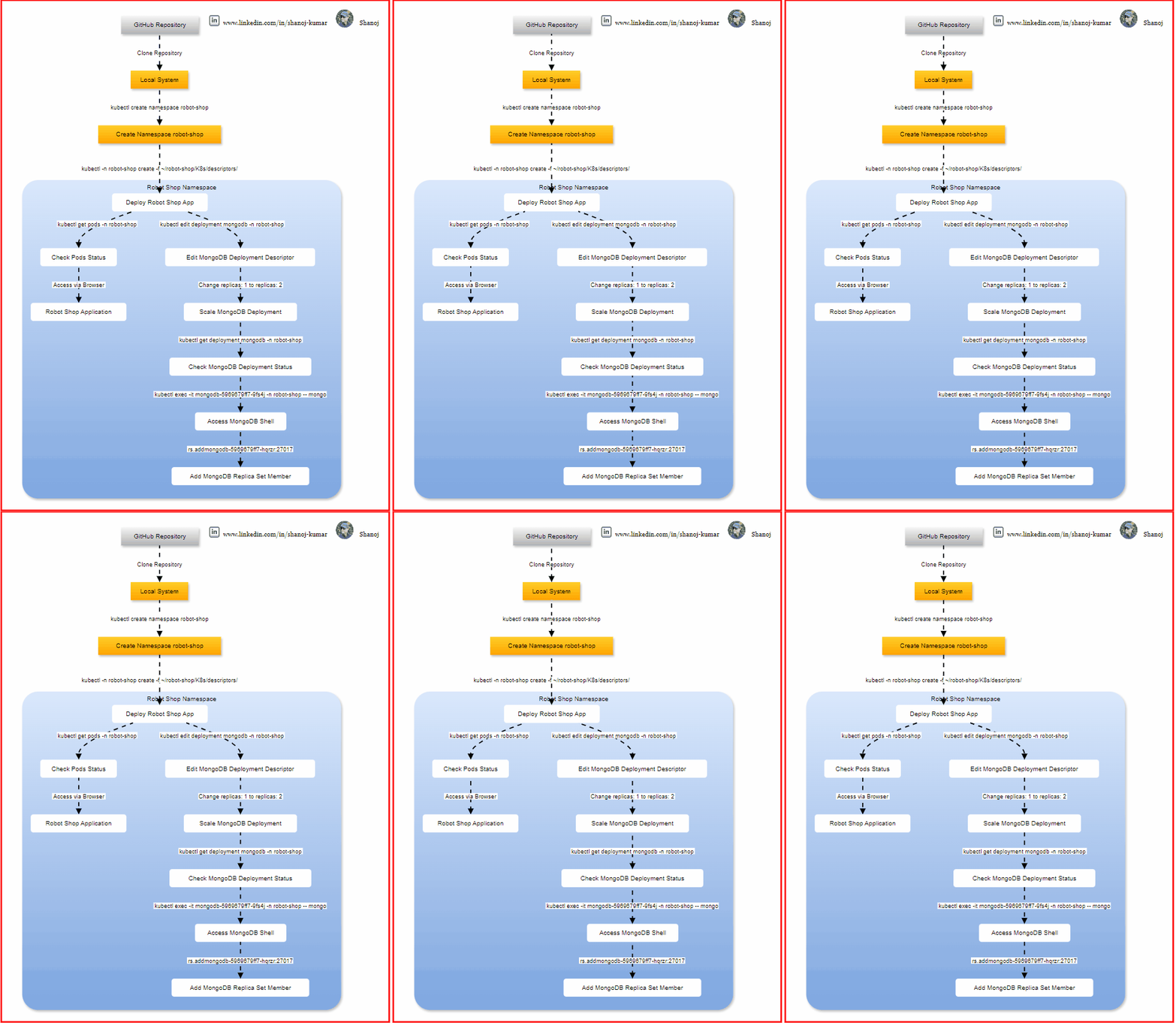
Clone the Git Repository
First, clone the Git repository that contains the pre-made descriptors for the Robot Shop application.
cd ~/
git clone https://github.com/instana/robot-shop.git
Thanks to Instana for providing the Robot Shop application!

Create a Namespace
Since the Robot Shop application consists of multiple components, it’s a good practice to create a separate namespace for the application. This isolates the resources and makes management easier.
kubectl create namespace robot-shop

Deploy the Application
Deploy the application to the Kubernetes cluster using the provided descriptors.
kubectl -n robot-shop create -f ~/robot-shop/K8s/descriptors/

Check the Status of the Application’s Pods
To ensure the deployment was successful, check the status of the application’s pods.
kubectl get pods -n robot-shop

Access the Robot Shop Application
You should be able to reach the Robot Shop application from your browser using the Kubernetes master node’s public IP.
http://<kube_master_public_ip>:30080

Scale Up the MongoDB Deployment
To ensure high availability and reliability, scale up the MongoDB deployment to two replicas instead of just one.
Edit the Deployment Descriptor
Edit the MongoDB deployment descriptor.
kubectl edit deployment mongodb -n robot-shop
In the YAML file that opens, locate the spec: section and find the line that says replicas: 1. Change this value to replicas: 2.
spec:
  replicas: 2
Save and exit the editor.

Check the Status of the Deployment
Verify that the MongoDB deployment has scaled up to two replicas.
kubectl get deployment mongodb -n robot-shop
After a few moments, you should see the number of available replicas is 2.

Add a New Replica Set Member
To further ensure data redundancy, add the new MongoDB replica to the replica set.
Execute MongoDB Shell
Use kubectl exec to open a MongoDB shell session in one of the MongoDB pods.
kubectl exec -it mongodb-5969679ff7-nkgpq -n robot-shop -- mongo
Replace <mongodb-pod-name 1> with the name of one of the MongoDB pods.

Add the New Replica Set Member
In the MongoDB shell, run the following command to add the new member to the replica set.
Check the status of the replica set.
rs.status()

Add the other MongoDB pod to the replica set.
rs.add("mongodb-5969679ff7-w5kpg:27017")

By following these steps, you have successfully deployed the Robot Shop application, scaled up the MongoDB deployment for high availability, and added a new replica set member to ensure data redundancy. This setup helps in maintaining a reliable and robust application environment.
Stackademic 🎓
Thank you for reading until the end. Before you go:
- Please consider clapping and following the writer! 👏
- Follow us X | LinkedIn | YouTube | Discord
- Visit our other platforms: In Plain English | CoFeed | Differ
- More content at Stackademic.com
 Shanoj